EDR-T6455 - Fake TLS ClientHello DPI bypass
EDR-T6455 - This test uses gecit - a network tool designed to bypass Deep Packet Inspection (DPI) middleboxes without proxies or traffic redirection. It operates by hooking directly into the Linux kernel TCP stack via eBPF sock_ops.
How DPI Bypass Works
Some ISPs inspect the SNI (Server Name Indication) field in TLS ClientHello packets to identify and block specific domains. gecit counters this by:
Sending a fake TLS ClientHello with a decoy SNI (
www.google.com) and a deliberately low TTLThe DPI middlebox processes the fake packet and allows the connection through
The fake packet expires in transit before reaching the destination server — its TTL runs out on the way
The real ClientHello follows behind, passing through the now-desynchronized DPI
DNS-over-HTTPS (DoH) Resolver
Some ISPs also employ DNS response poisoning to block domains at the resolver level. gecit includes a built-in DoH server that:
Resolves domains over encrypted HTTPS
Bypasses DNS-level blocking entirely
Requires no external resolver configuration
OFFENSIVE PHASE:
@ TARGET_X:
# dig defensive-security.com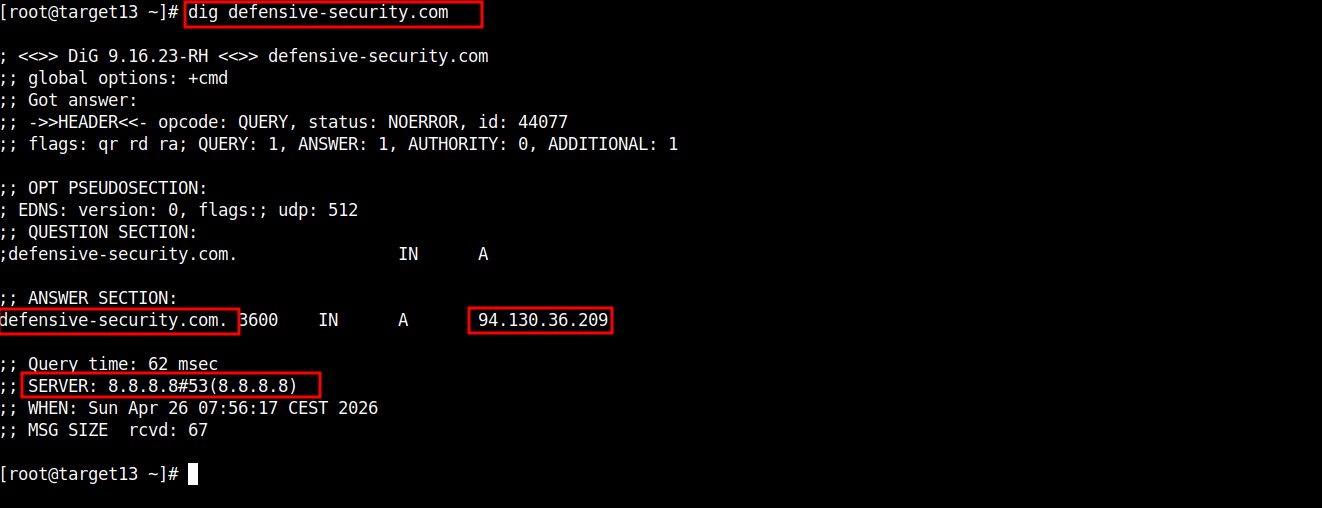
@ TARGET_X:
# curl -L https://github.com/boratanrikulu/gecit/releases/latest/download/gecit-linux-amd64 -o gecit
# chmod +x gecit
# ./gecit run
@ TARGET_X:
# curl -vs https://training.defensive-security.com@ TARGET_X:

DETECTION/DFIR PHASE:
Splunk - Falco Runtime Security:
index=unix falco host="targetX.edrmetry.local" "File below /etc opened for writing"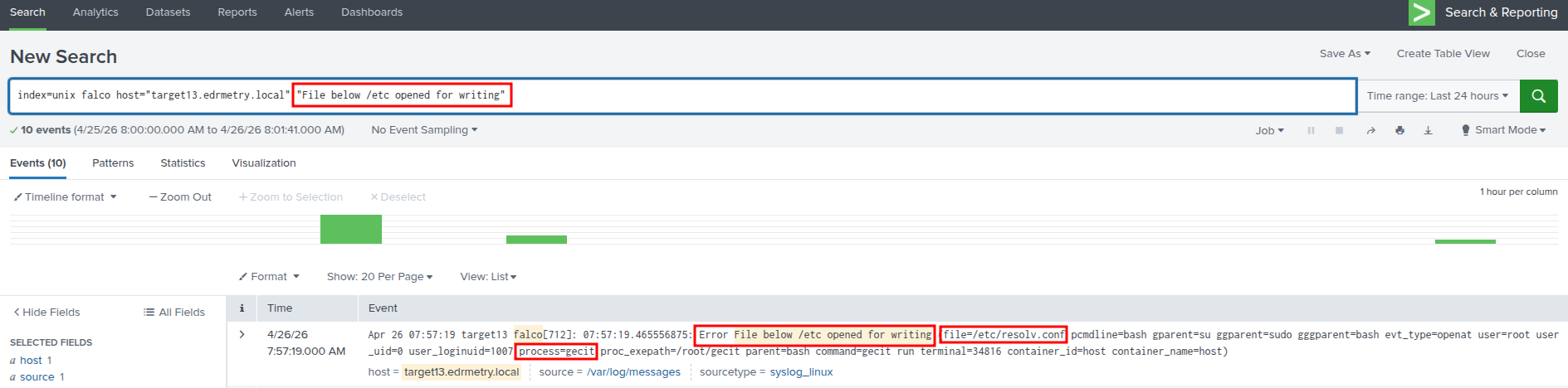
Splunk - Falco Runtime Security:
index=unix falco host="targetX.edrmetry.local" "BPF Program Not Profiled"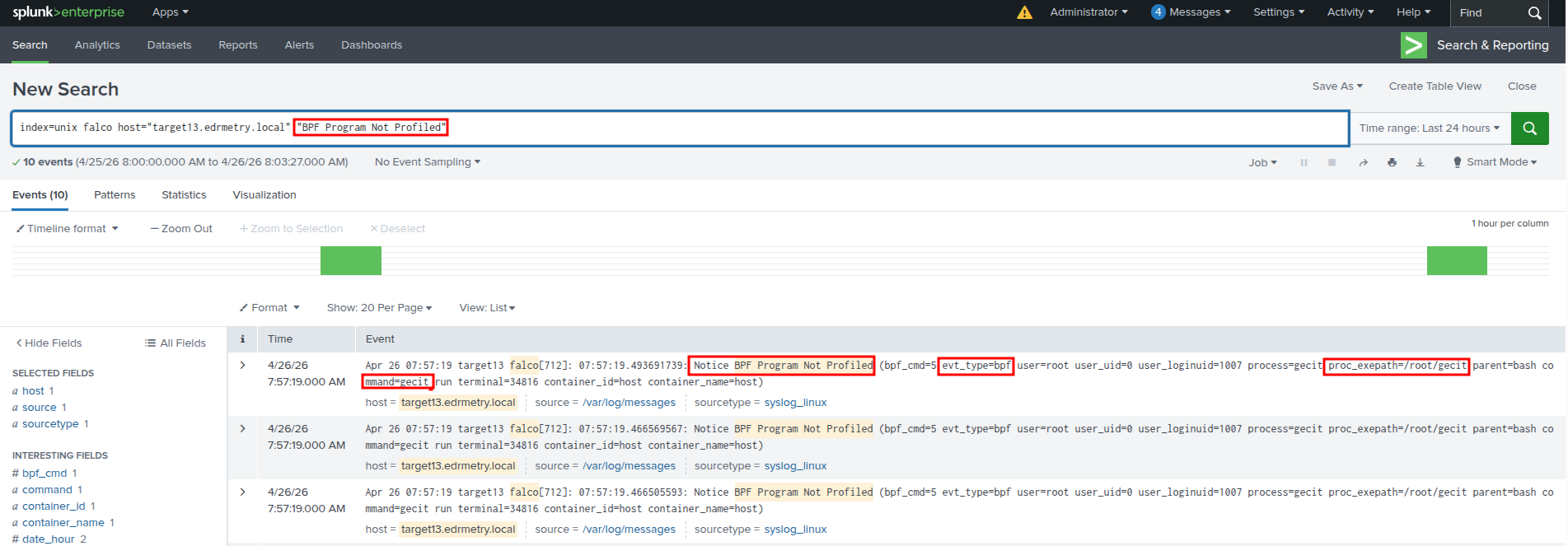
Splunk - Falco Runtime Security:
index=unix falco host="targetX.edrmetry.local" "Disallowed outbound connection destination" gecit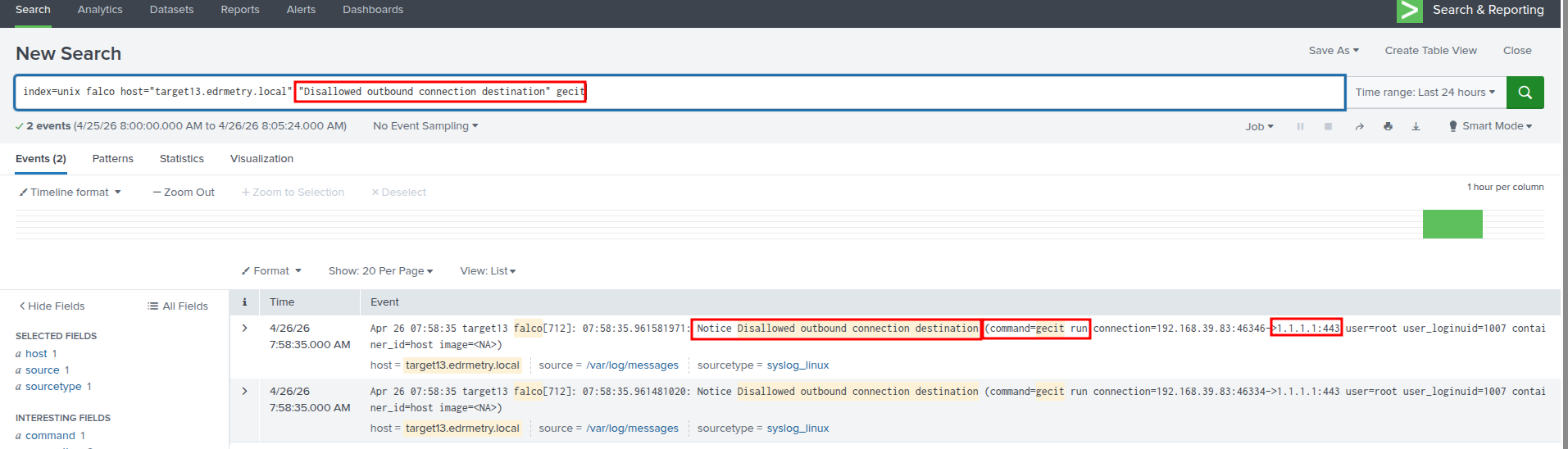
Splunk - Falco Runtime Security:
index=unix falco host="targetX.edrmetry.local" "Disallowed outbound connection destination" curl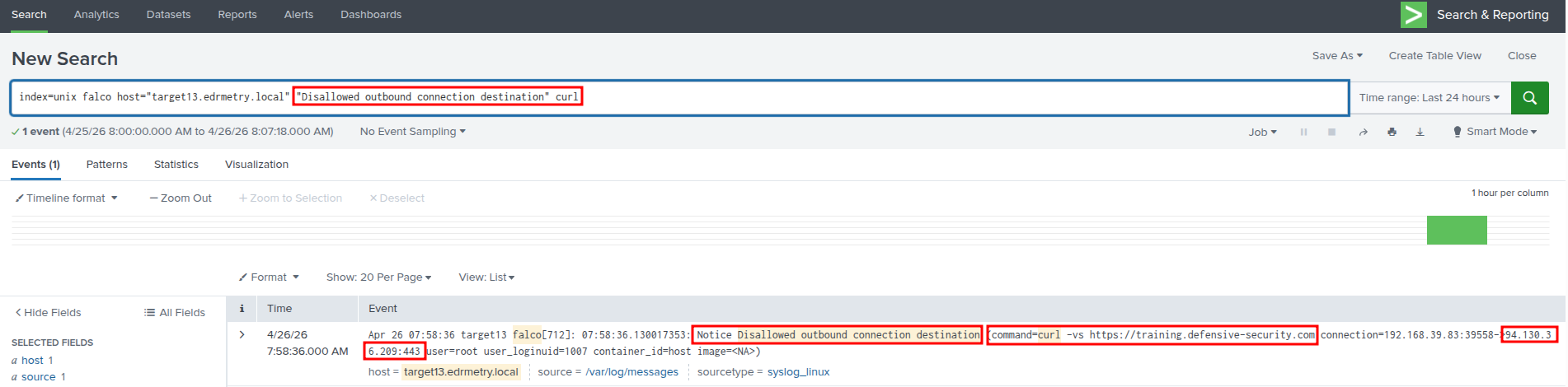
Splunk - Kunai Runtime Security:
index=kunai host="targetX.edrmetry.local" command_line="./gecit run" | top 25 event_name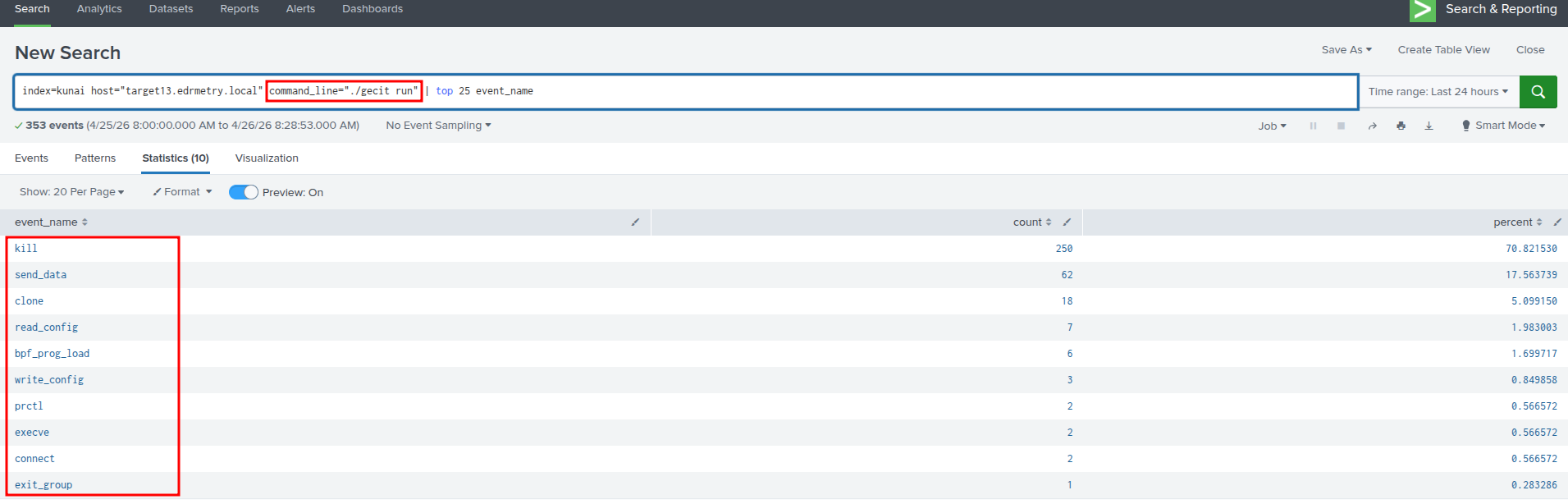
Splunk - Kunai Runtime Security:
index=kunai host="targetX.edrmetry.local" command_line="./gecit run" event_name=send_data | top data.dst.ip
Splunk - Kunai Runtime Security:
index=kunai host="targetX.edrmetry.local" command_line="./gecit run" event_name=bpf_prog_load| table "data.ksym", data.prog_type.name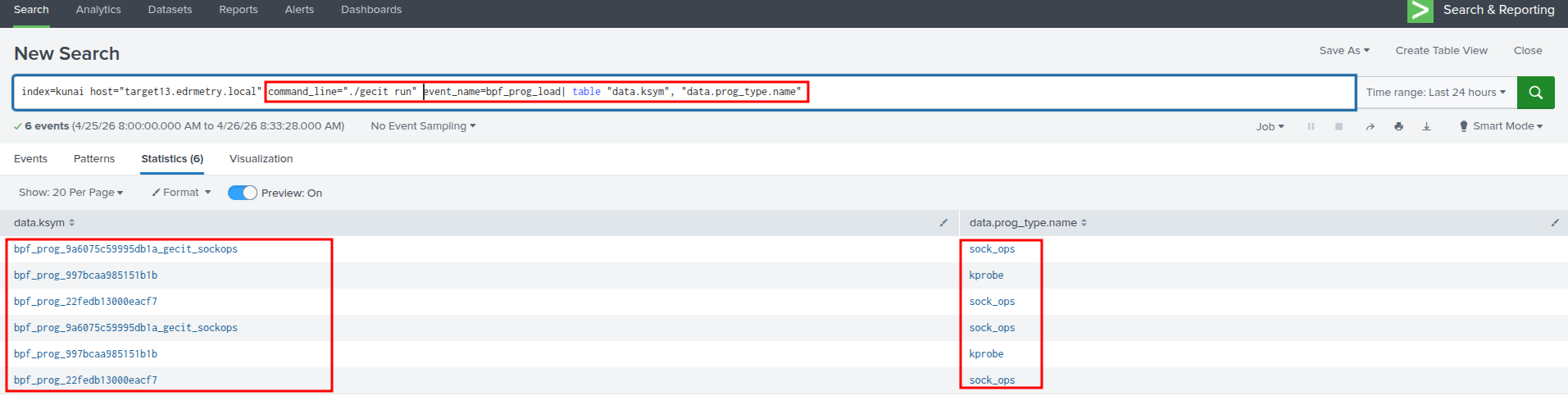
Splunk - Kunai Runtime Security:
index=kunai host="targetX.edrmetry.local" command_line="./gecit run" event_name=write_config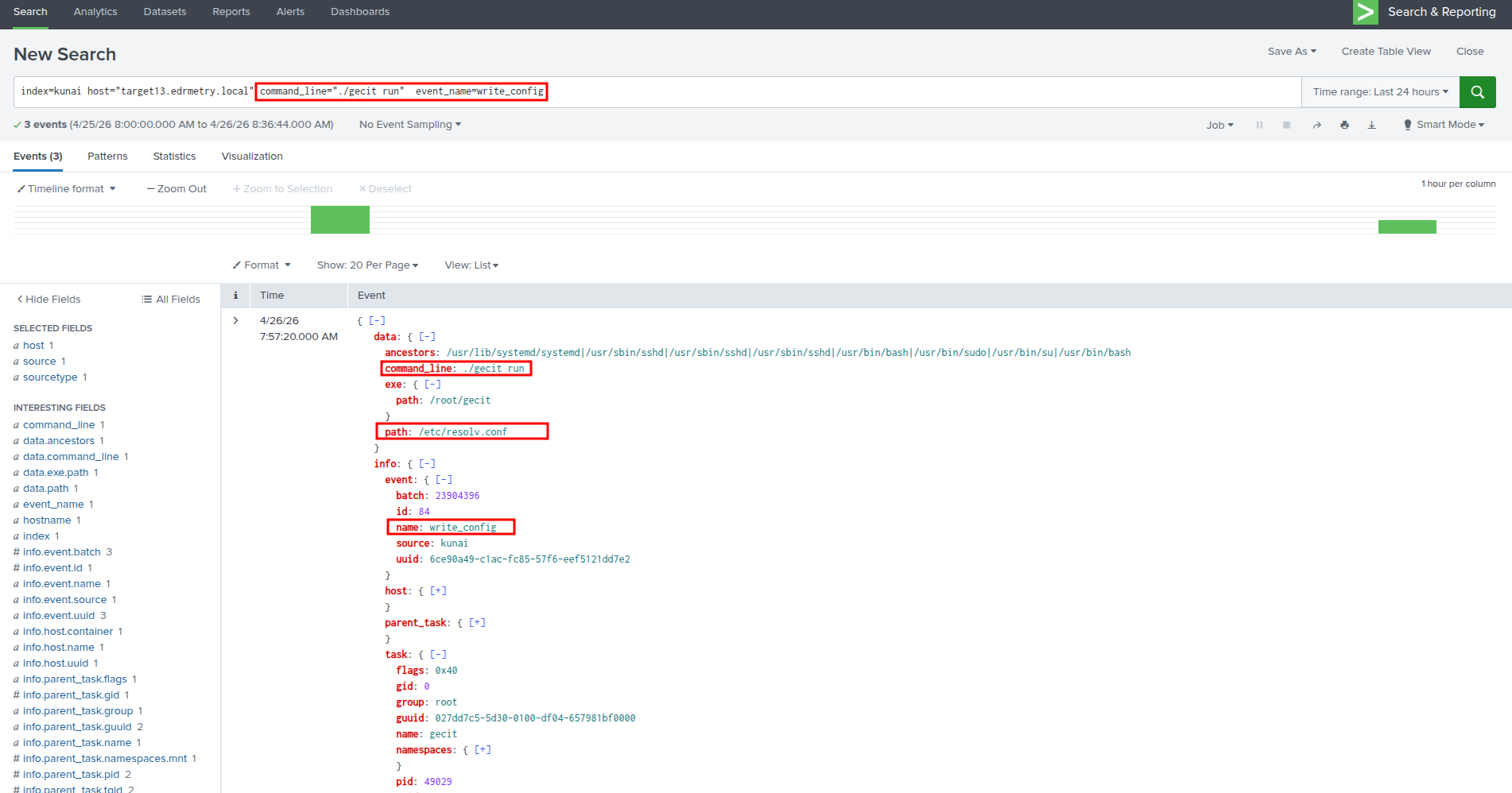
CLI:
# cat /etc/resolv.conf
CLI:
# bpftool prog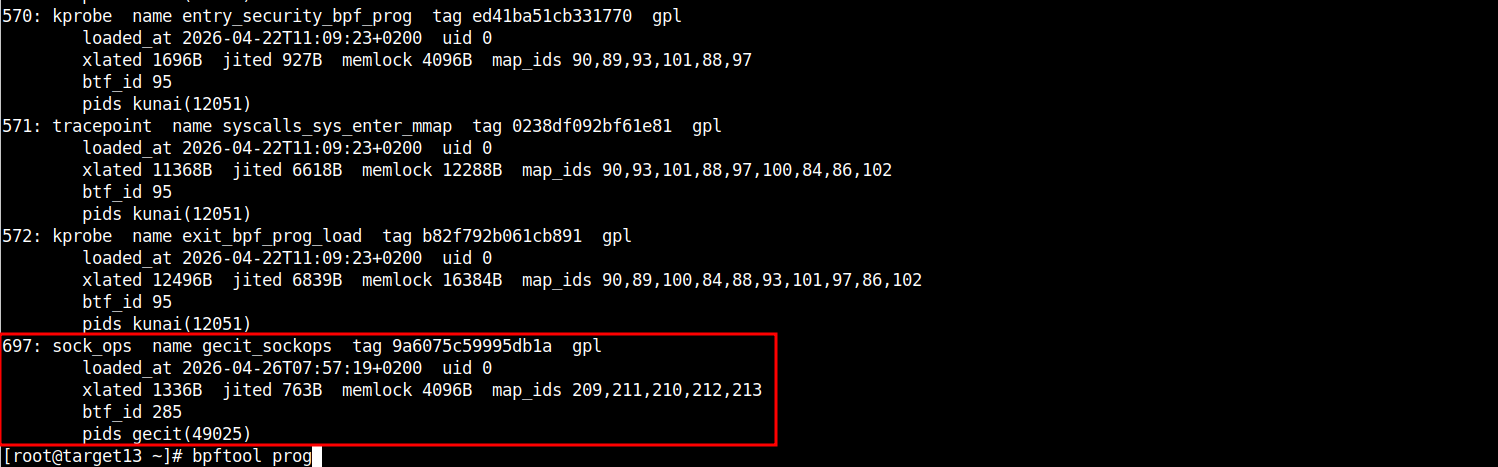
CLI:
# bpftool map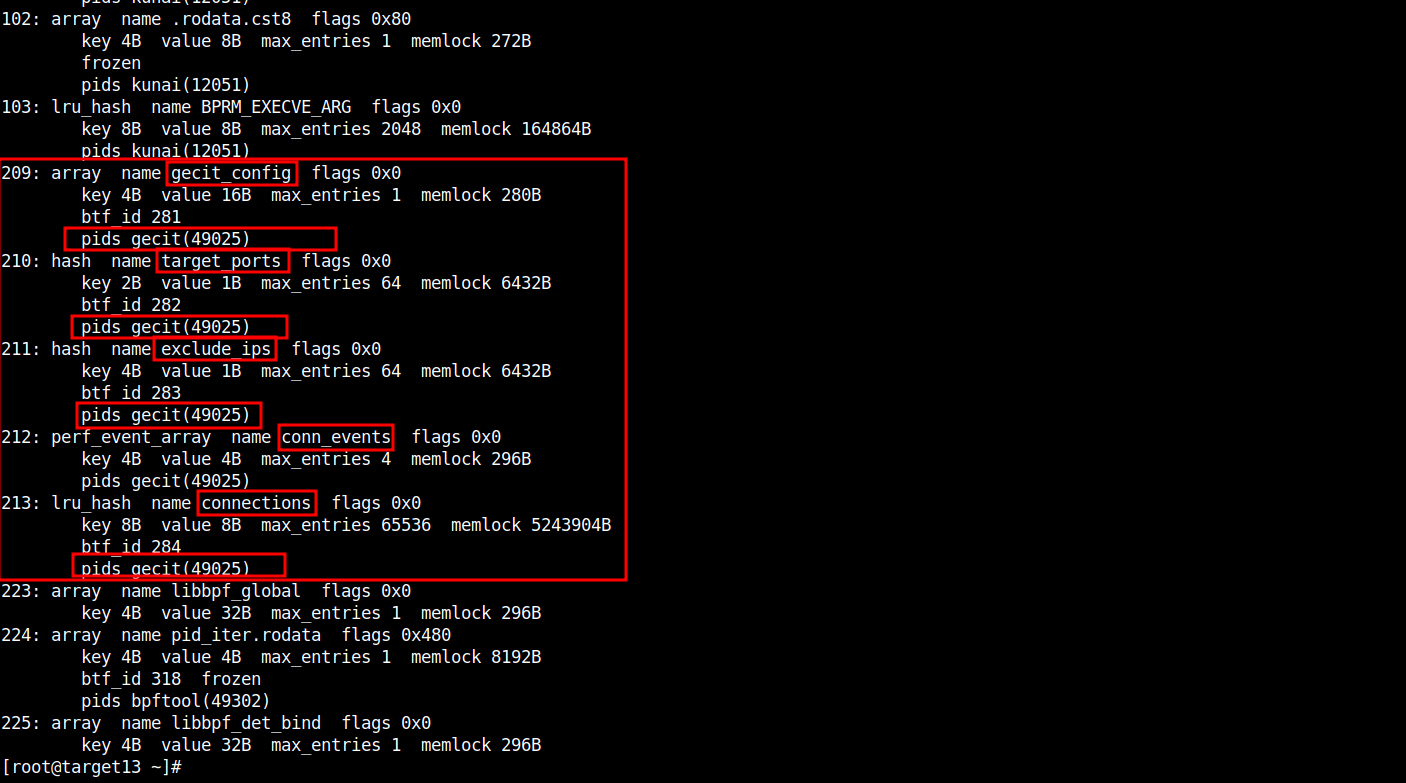
CLI:
# bpftool map dump id 209 / 210 / 211 / 212 ## provide your true values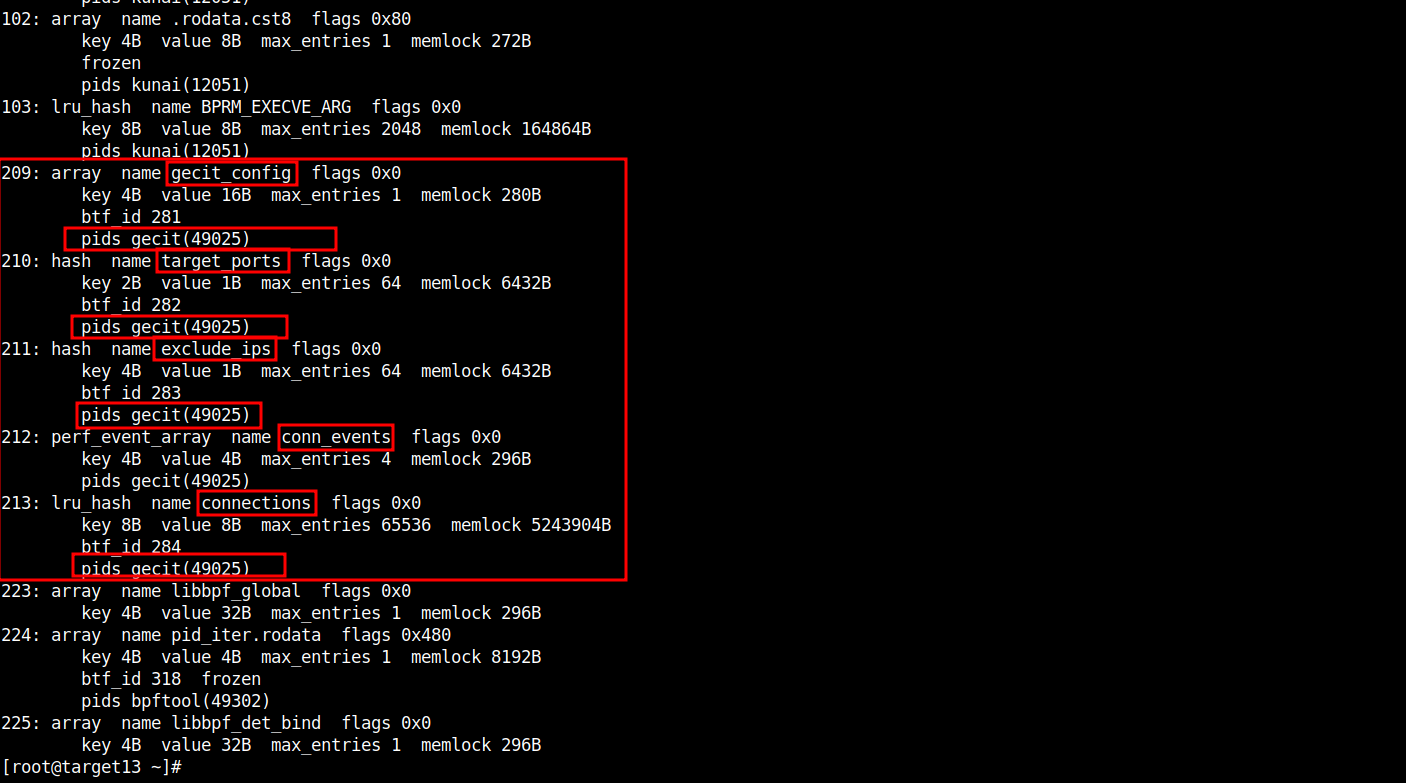
CLI - Linux IR Scripts:
# cd /opt/secl/linux-ir-scripts-v3
# ./ir_executor.sh bpf-find-progs.sh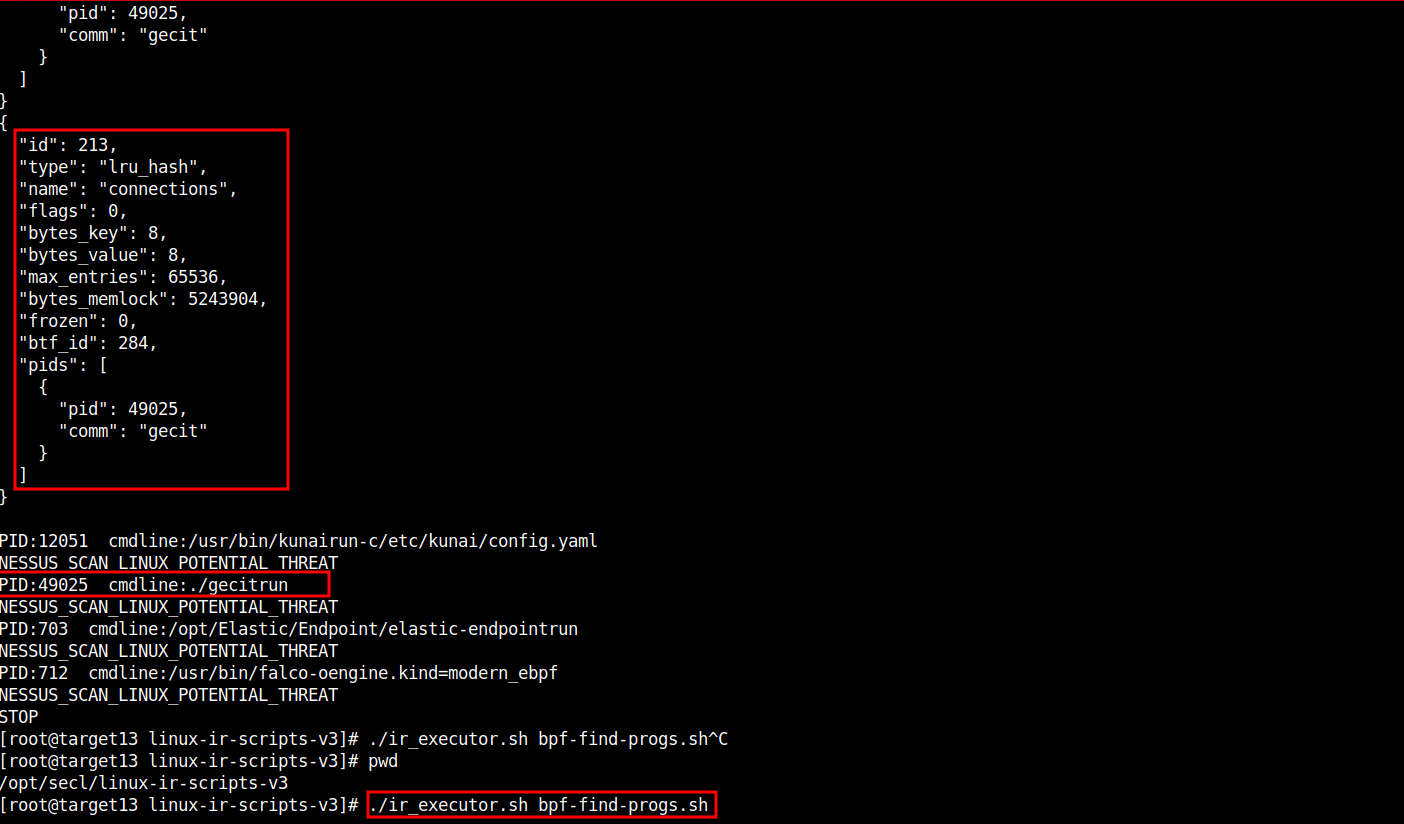
CLI - Linux IR Scripts:
# cd /opt/secl/linux-ir-scripts-v3
# ./ir_executor.sh unexpected-https-linux.sh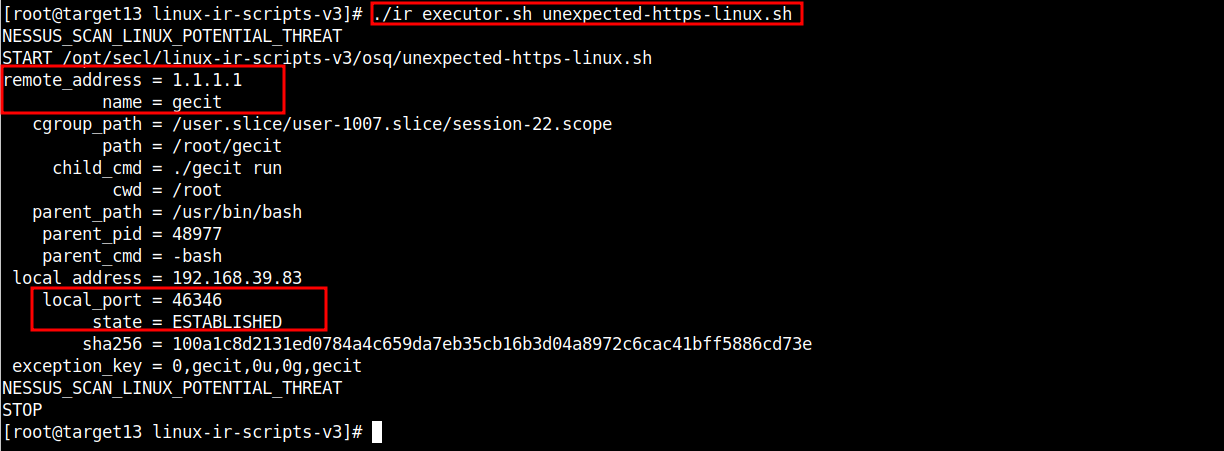
CLI:
# netstat -antup | grep gecit
Splunk - Zeek:
index=zeek id.orig_h=TARGET_X_INTERNAL_IP sourcetype="bro:dns:json" query="defensive-security.com"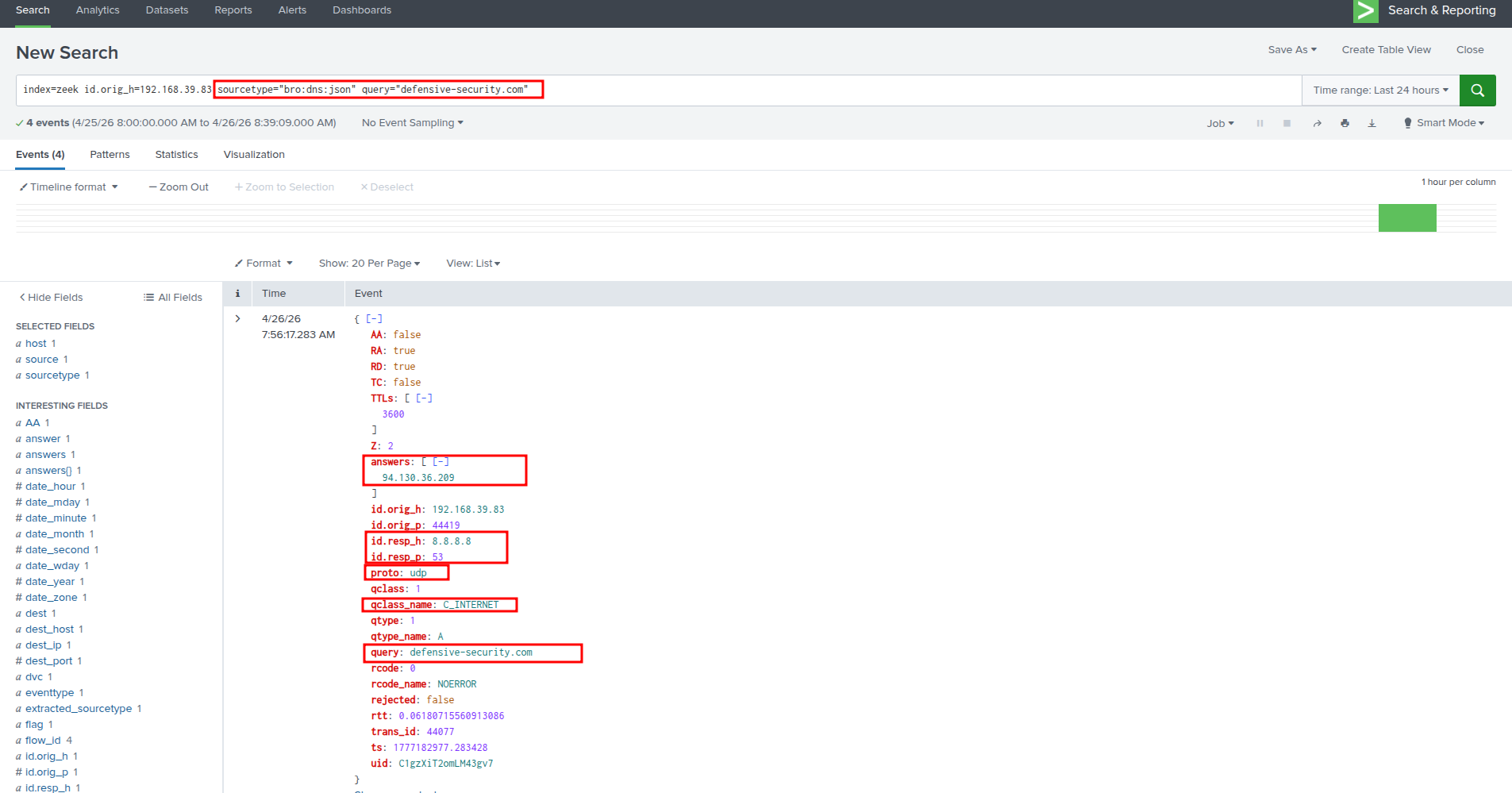
Splunk - Zeek:
index=zeek id.orig_h=TARGET_X_INTERNAL_IP sourcetype="bro:dns:json" query="training.defensive-security.com"
Splunk - Zeek:
The IP of
94.130.36.209points totraining.defensive-security.com
index=zeek id.orig_h=TARGET_X_INTERNAL_IP sourcetype="bro:dpd:json" failure_reason="Invalid version late in TLS connection*" dest_ip="94.130.36.209"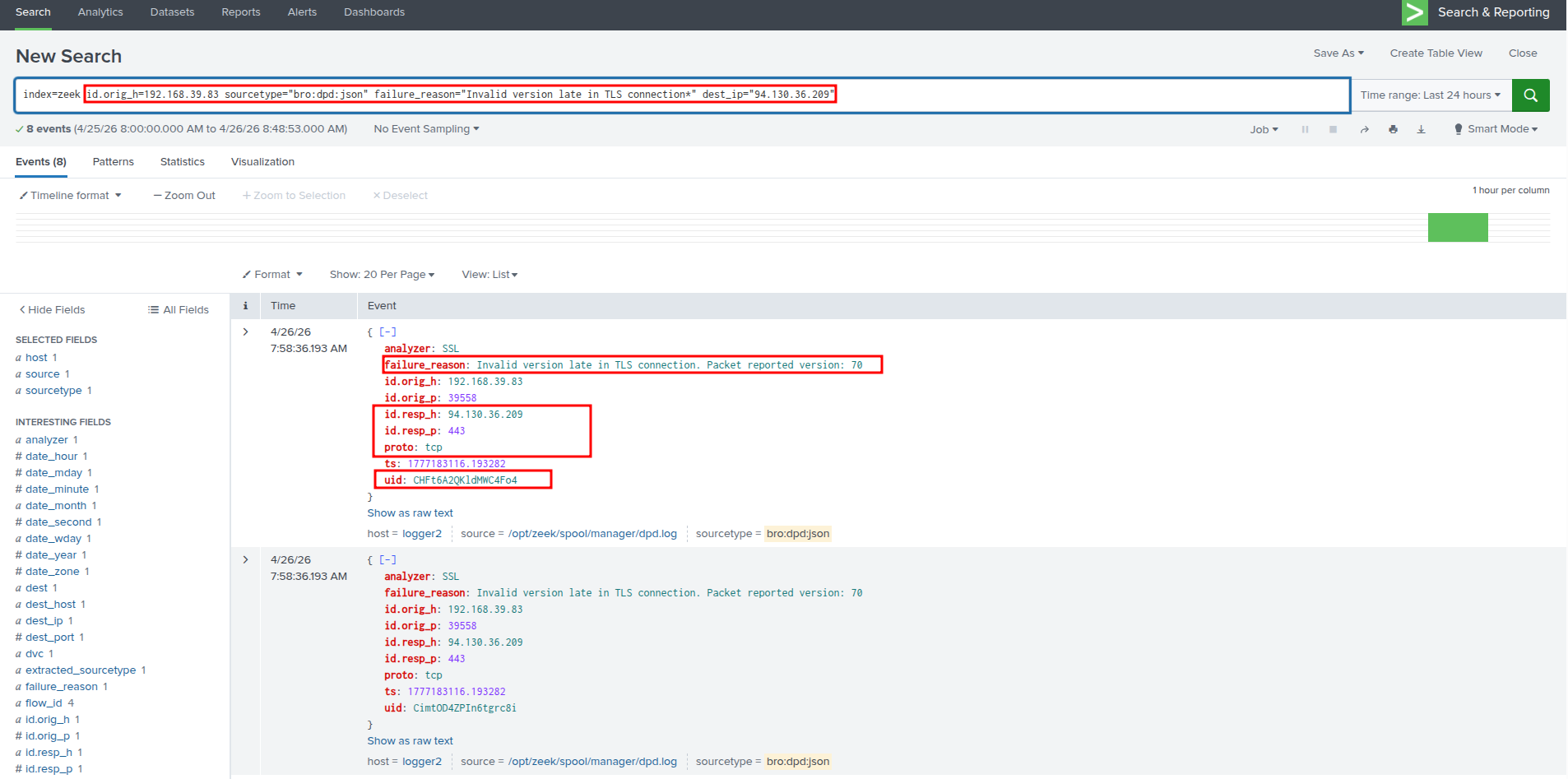
Splunk - Zeek:
index=zeek uid=CHFt6A2QKldMWC4Fo4 | top sourcetype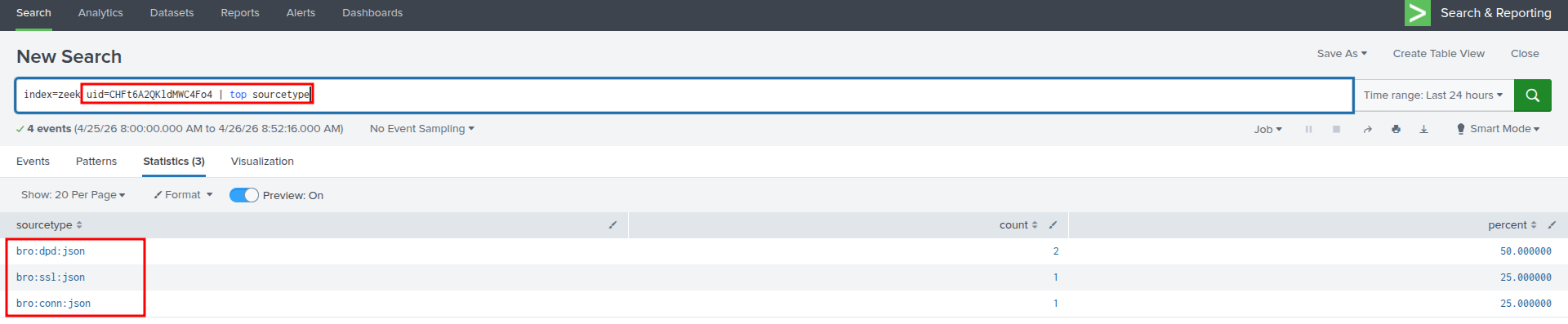
Splunk - Zeek:
index=zeek uid=CHFt6A2QKldMWC4Fo4 sourcetype="bro:ssl:json"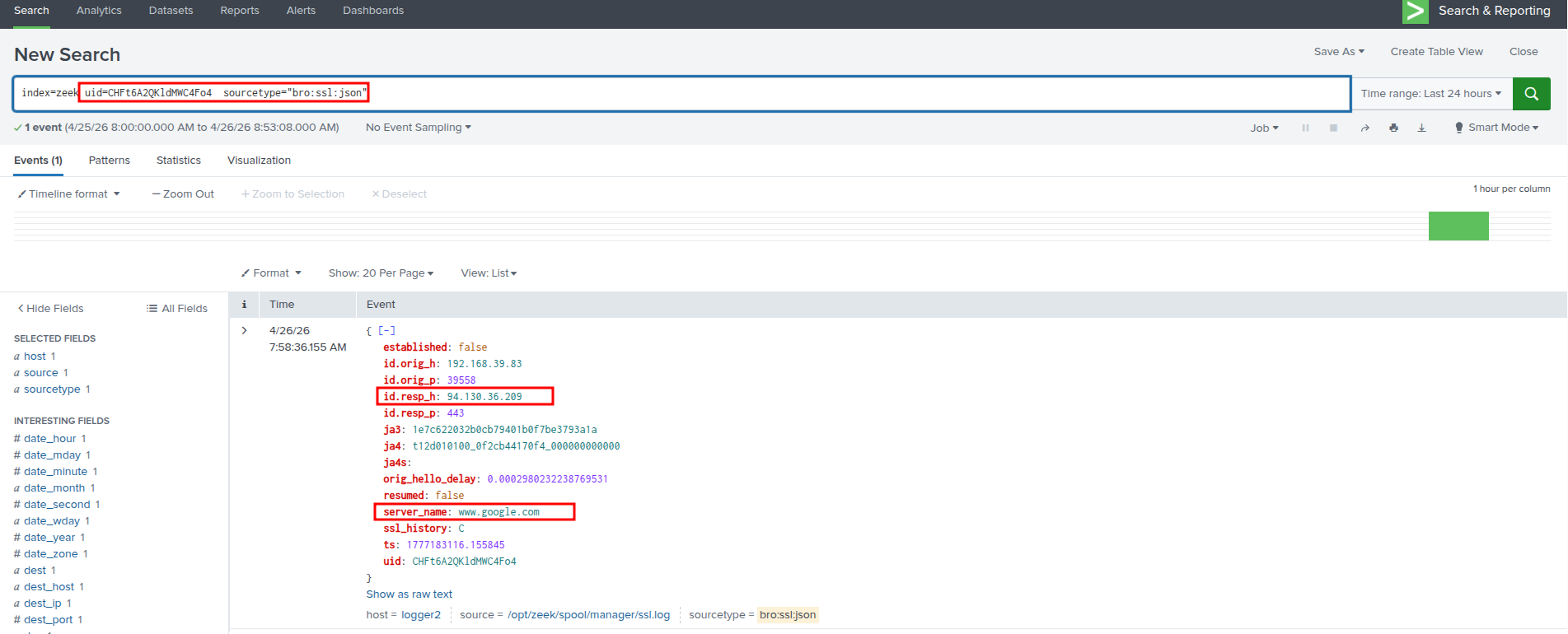
Splunk - Zeek:
index=zeek sourcetype="bro:ssl:json" "id.resp_h"="1.1.1.1"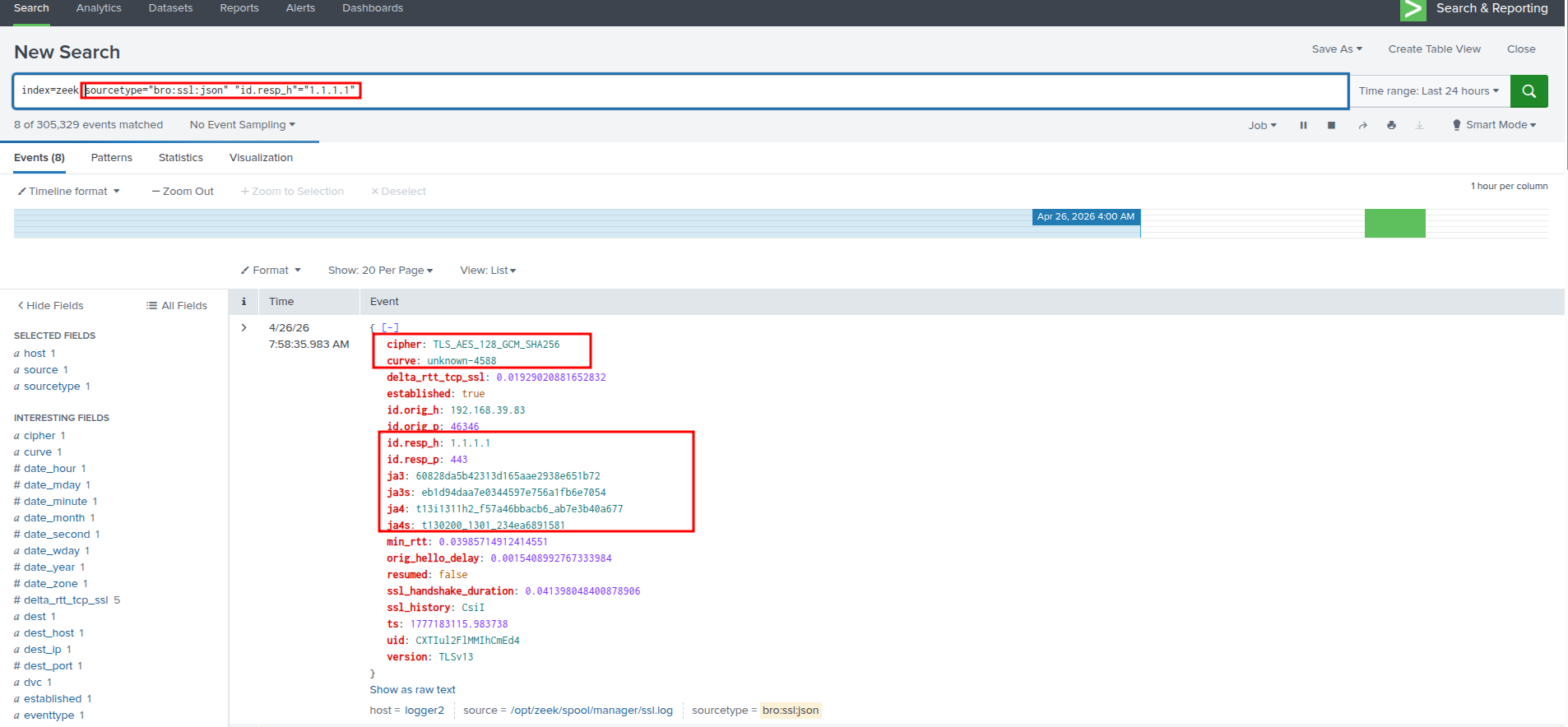
Sandfly Security:
Run scan